How to Fill UP Scholarship Form 2025 – Complete Guide with OTR Registration Steps
Step-by-step tutorial to help you understand processes clearly
Every year, the Government of Uttar Pradesh provides scholarships to students from Class 9 to post-graduation to support their education financially. The official portal — scholarship.up.gov.in — is the one-stop platform for students to apply online for Pre-Matric, Post-Matric, and other state-level scholarship schemes. From 2025 onwards, the UP Government has made OTR (One Time Registration) compulsory for all students before applying for any scholarship. This new system ensures every student has a unique registration number that can be used for future years, simplifying the process and avoiding duplicate forms. In this guide, we’ll cover the complete step-by-step process of: What is OTR and why it’s important How to complete OTR registration online How to fill the UP Scholarship 2025 form after OTR List of required documents Important dates and mistakes to avoid Whether you’re applying for the first time or renewing your scholarship, this guide will help you complete the process correctly and without rejection.
Step 1
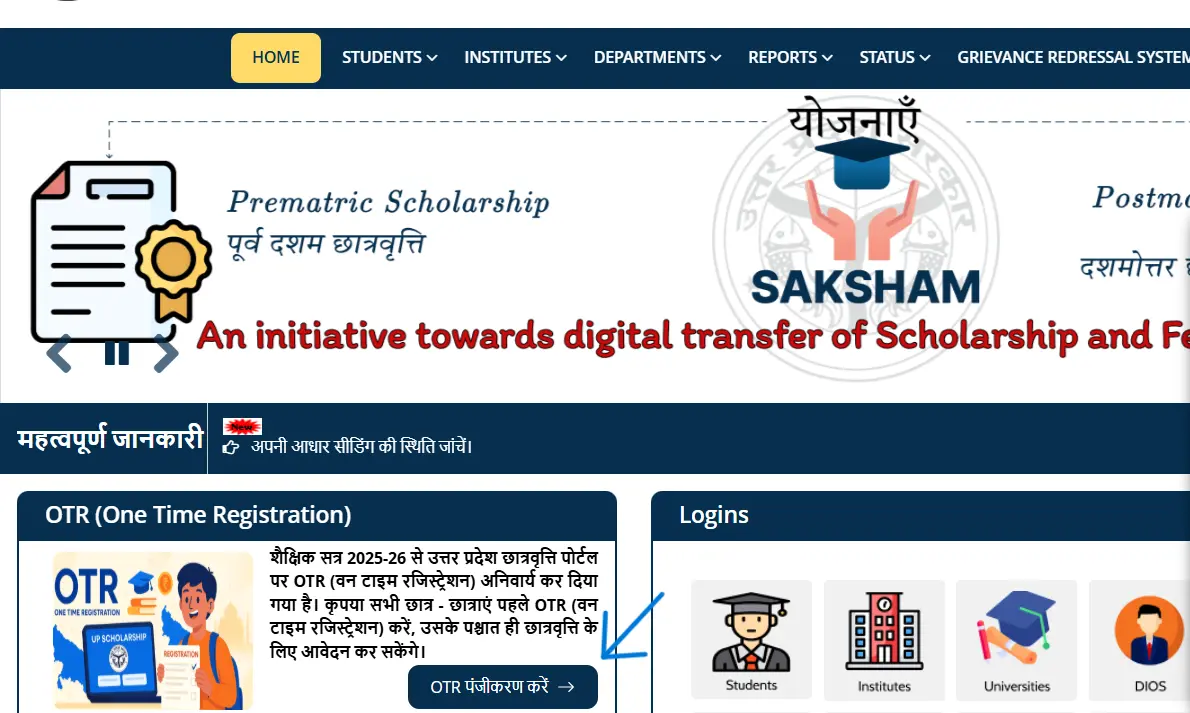
Open the UP Scholarship Official website - https://scholarship.up.gov.in/ . Click on OTR Registration (see Image Above).
Step 2
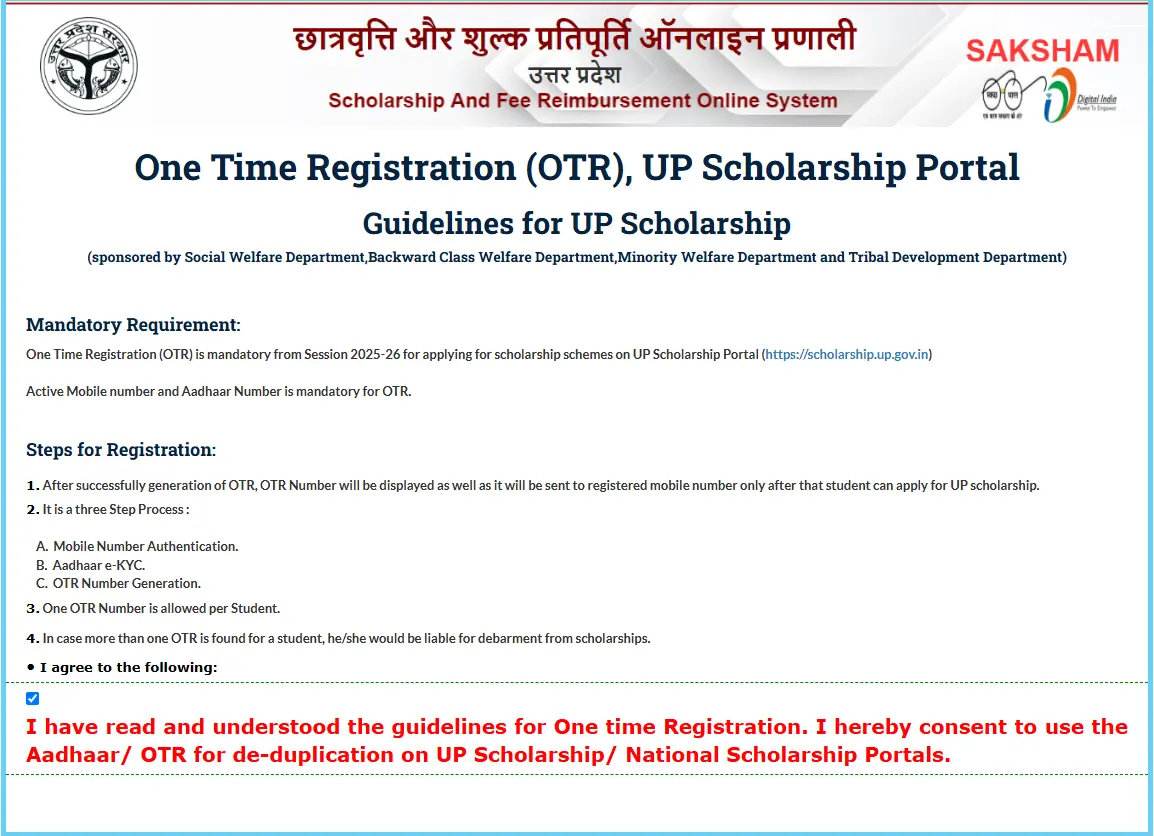
Click on Checkbox for accepting the adhar consent for OTR registration verification and Click on 'Proceed'.
Step 3
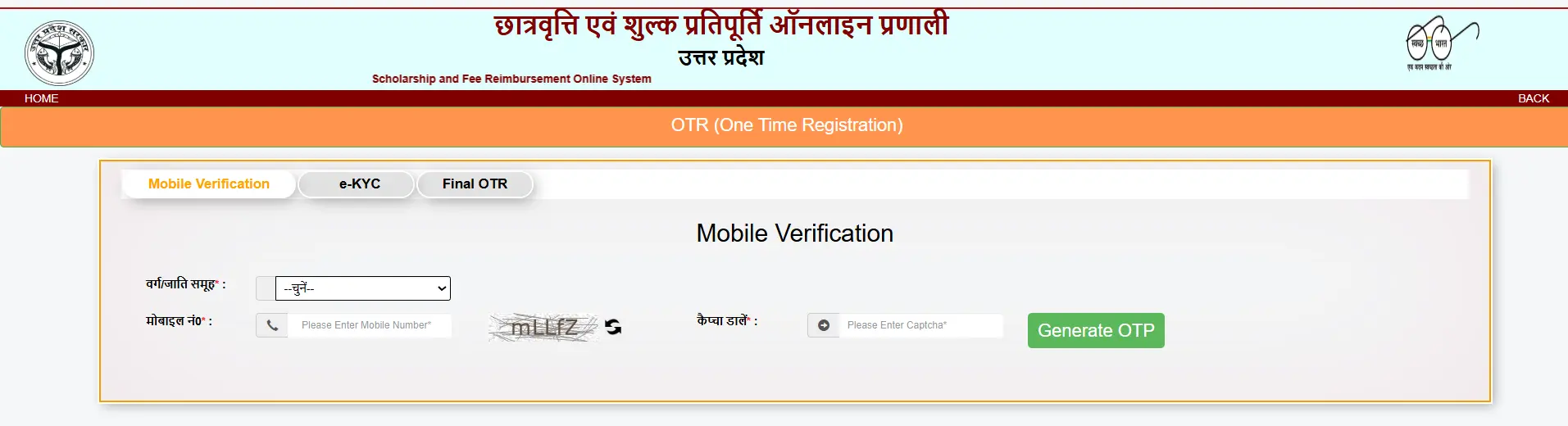
Select Category, Type Mobile Number, and captcha and click on generate OTP.
Step 4
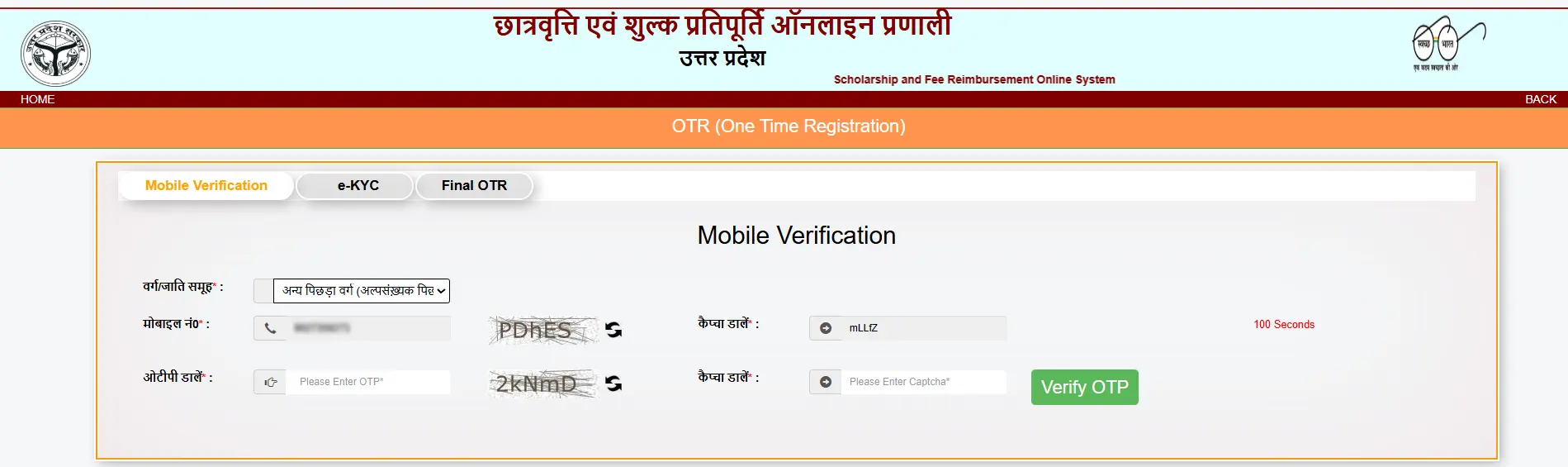
Enter your OTP in the box and write a Captcha.
Step 5
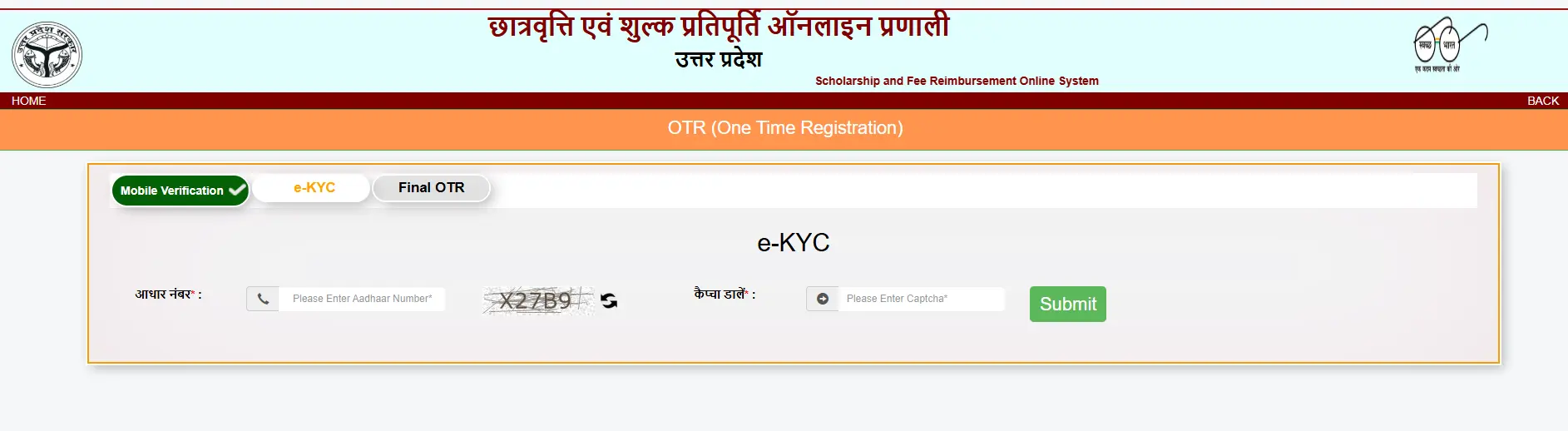
Enter you Adhar Number in the given box and write the Captcha in the next box and Click on Submit. Your Adhar detail will be displayed click on verify details and you will receive an OTP on Adhar registered mobile number. Type the OTP in the box and Click on verify details button.
Step 6
After verify your adhar details you will be displayed on screen with your OTR-Number Like UP25-xxxxxxxx. All done! Your OTR has been Completed. Now you can close this page and proceed to Go back on Official website and apply for Scholarship according to your Category. In our Next Guide we will discuss about How to Apply for Scholarship after Completing OTR Steps. If you have any query contact us on contact page.
Have Questions or Need a Guide?
If you have any doubts about this guide or need help with filling your forms, feel free to reach out to us. We are here to assist you with accurate and step-by-step instructions.
Additionally, if you want us to create a guide on a specific topic related to government schemes, scholarships, or jobs, you can request it, and we will publish it as soon as possible.
Send Your Query / Request a GuideRelated Guides