How to Fill UP Scholarship Online Form After OTR — SarkariMerit
Step-by-step tutorial to help you understand processes clearly
Applying for the UP Scholarship 2025 is now easier with the new One Time Registration (OTR) process introduced by the Uttar Pradesh Social Welfare Department. In this detailed guide, we explain how to fill the UP Scholarship Online Form step by step after completing your OTR registration. From creating your OTR profile to logging in, selecting your scholarship type (Pre-Matric, Post-Matric, or Dashmottar), and uploading your documents correctly, this tutorial covers every step with clear instructions and helpful image prompts. चरण-दर-चरण तरीके से जानिए कि OTR पूरा करने के बाद UP Scholarship Online Form कैसे भरें। यह गाइड विद्यार्थियों के लिए उपयोगी है जो 2025 में उत्तर प्रदेश सरकार की छात्रवृत्ति के लिए आवेदन करना चाहते हैं। Follow this guide carefully to avoid common mistakes and ensure your scholarship form is accepted without rejection.
Step 1
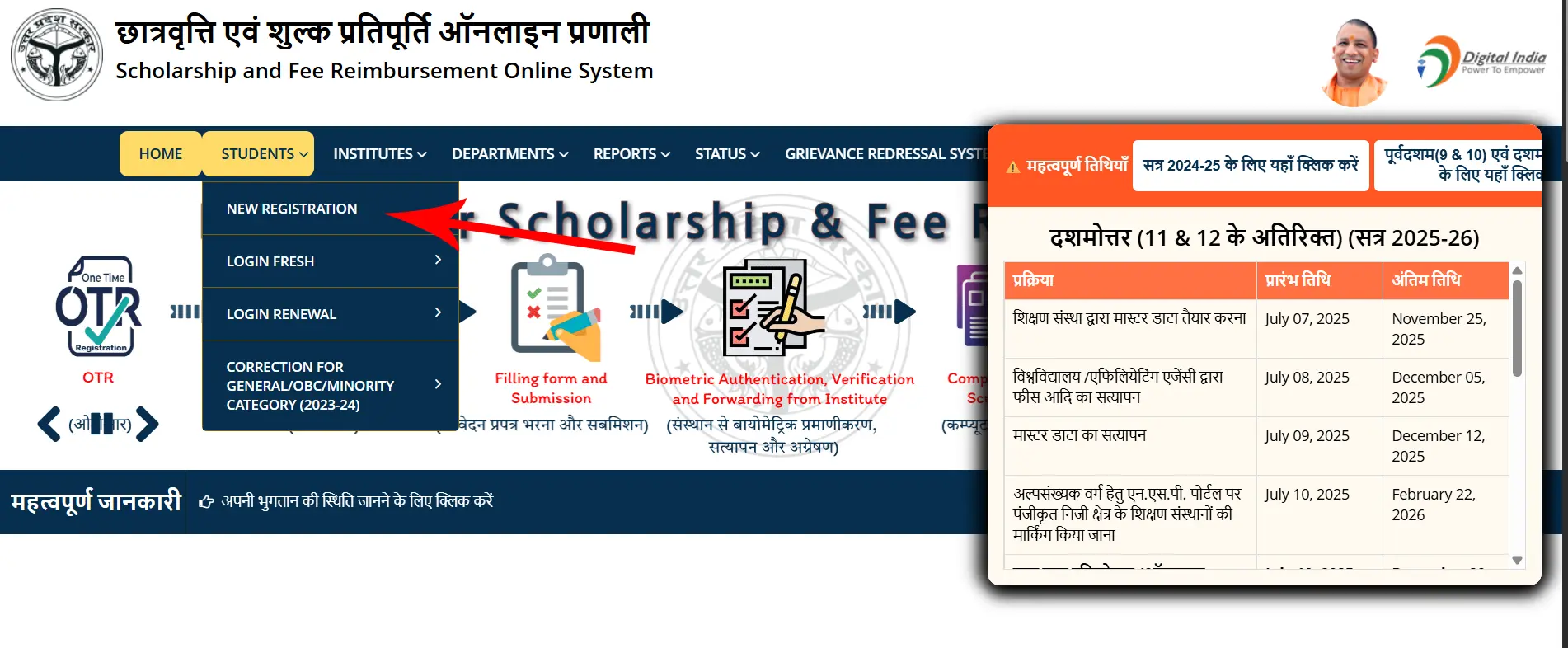
Open Official Website https://scholarship.up.gov.in/. Hover Mouse Cursor Over Students in Horizontal Navigation Menu. and Click on NEW REGISTRATION. (see Image)
Step 2
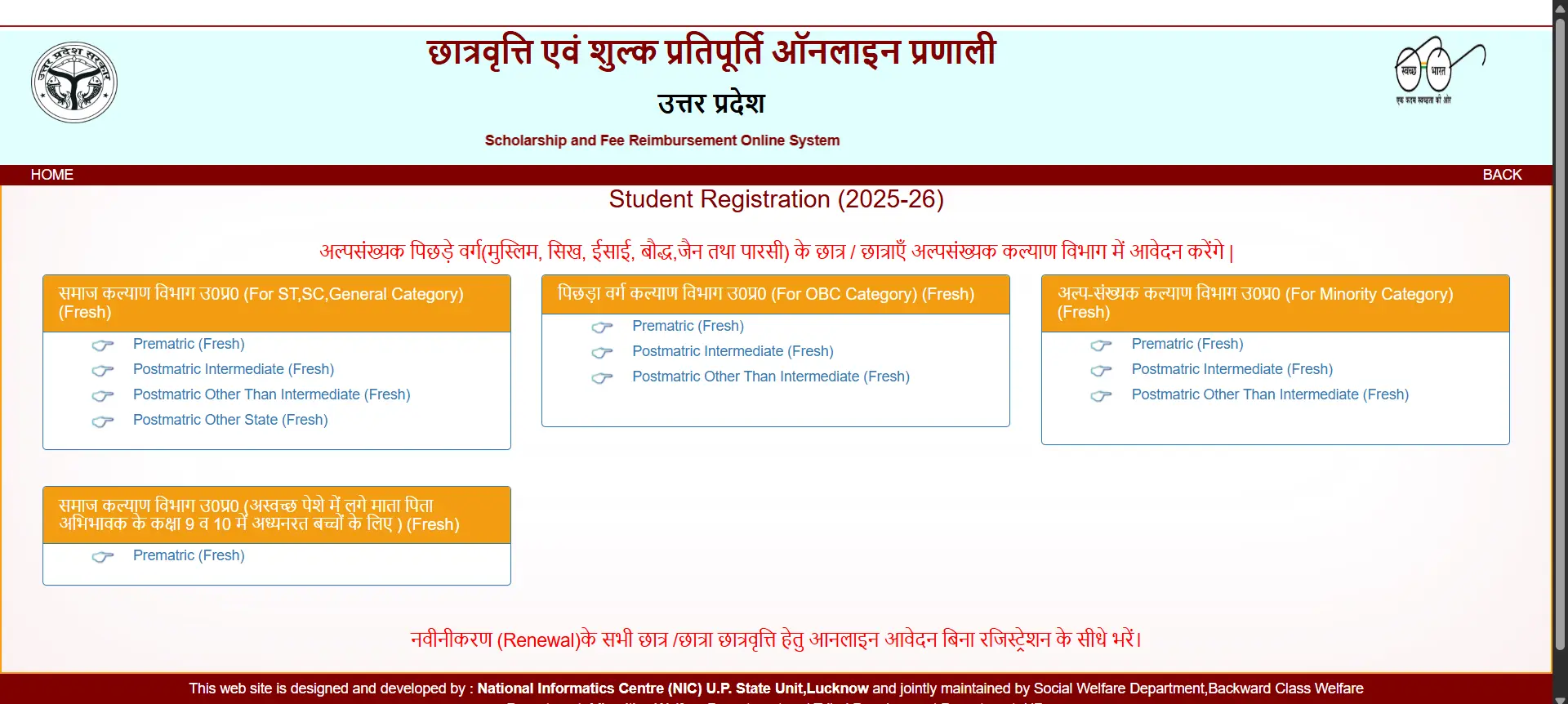
You will See Student Registratio Page where 4 Cards. First Card is for Category ST,SC, General Category and Other State Students. Second Card is for OBC Category, Third Card is for Minority e.g. Muslim . Fourth Card is for Children whose Parents Are working Unclean Works. In first Card there is 4 options First is for Prematric Students (9-10th Class), second is for Postmatric Intermediate Students (11-12th Class), Third option is for Postmatric Other Than Inter ( Graduation, Post Graduation, etc.) and The last option is for Other State Students ( Resident Of Uttar Pradesh studying outside the State)
Step 3
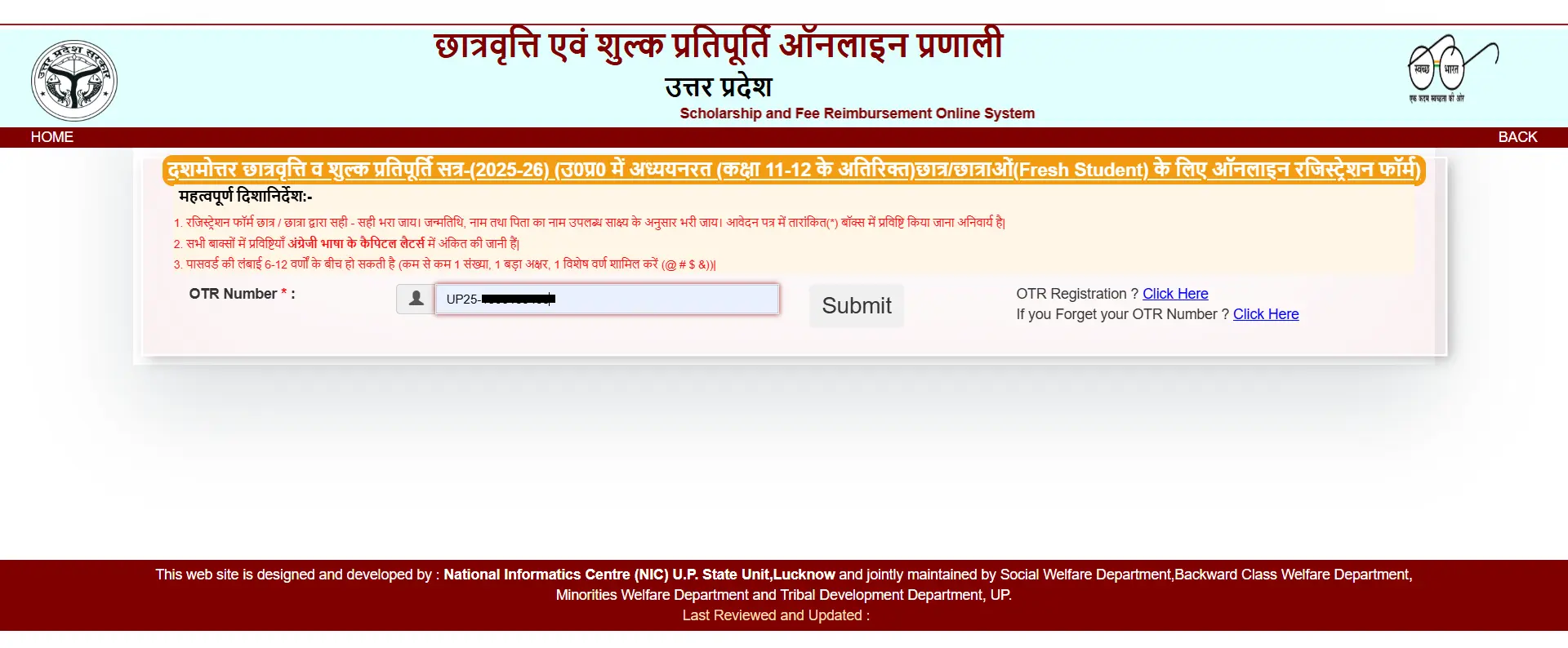
Now You will be asked to enter your OTR Number ( If not Already done! Please visit our previous guide to check OTR Registration Steps.). Type your OTR Number and Click on Submit Button.
Step 4
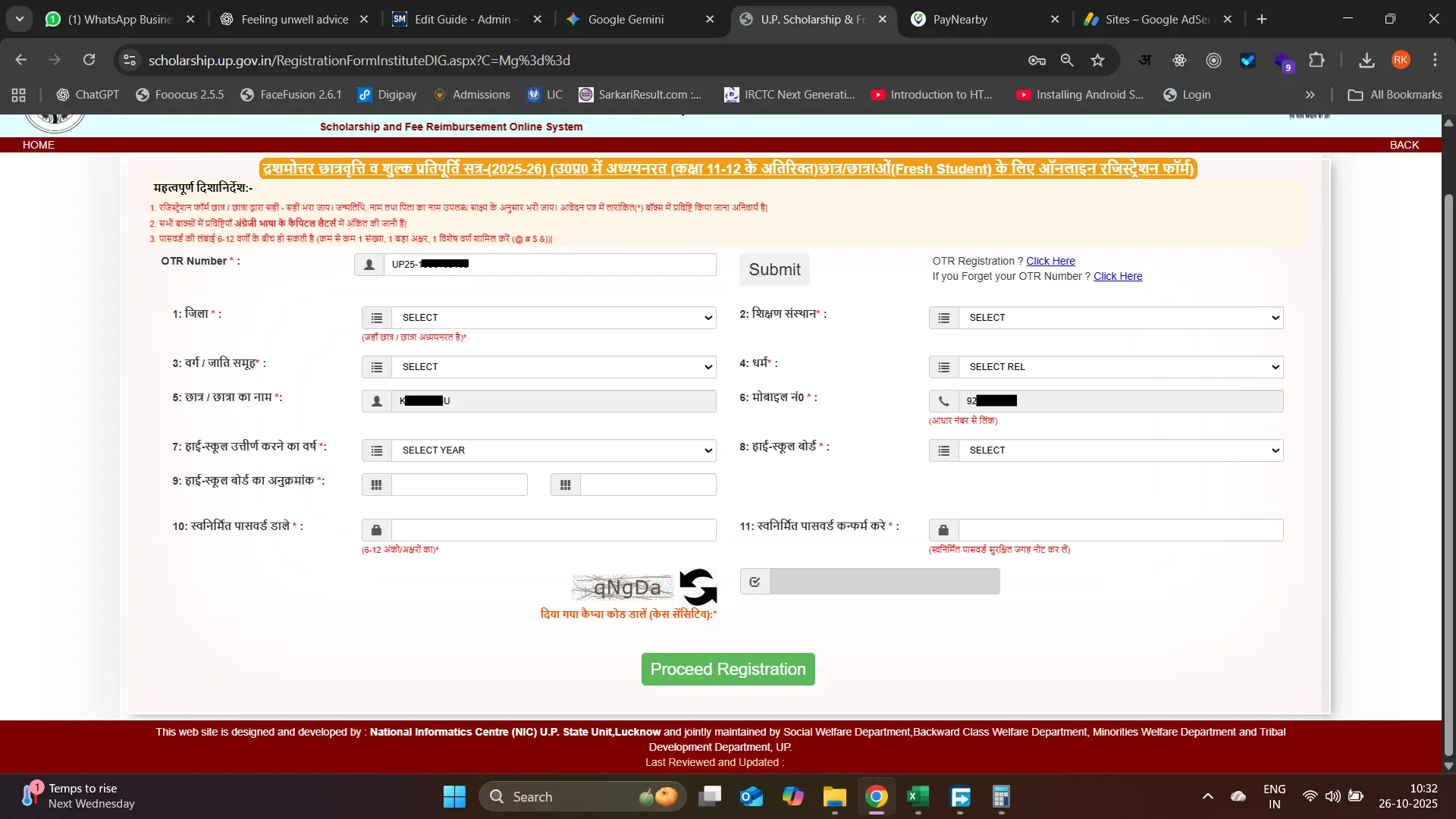
Now You will see the Registration page. Start Filling your Registration Details. Select your District Name from Dropdown in Column 1 e.g. Agra. Select Your College name from Dropdown in Column 2. Select Your Category in Column 3. Select Your Religion in Column 4. Your Name and Mobile Number will be displayed in Column 5 and 6. Select Your Highschool Passing Year in Column 7 (For Prematric Students there is no Column for HighSchool Year, Board and Roll Number). Select Your Board in Column 8. Write your Roll Number in Column 9. In Column 10 and 11 Write a Unique and Same Password and Remember it for future Login.
Step 5
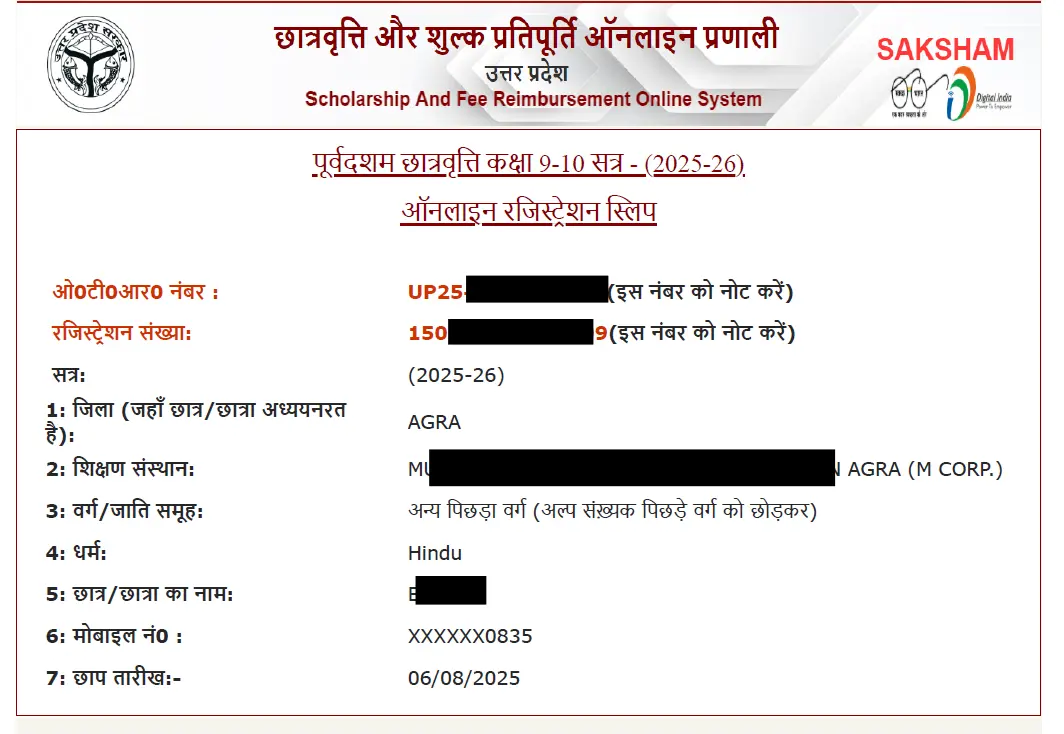
Your Registration done! Now Its Time to Login to Complete Your Form. See the Next Guide for Completing the Form for Scholarship.
Have Questions or Need a Guide?
If you have any doubts about this guide or need help with filling your forms, feel free to reach out to us. We are here to assist you with accurate and step-by-step instructions.
Additionally, if you want us to create a guide on a specific topic related to government schemes, scholarships, or jobs, you can request it, and we will publish it as soon as possible.
Send Your Query / Request a GuideRelated Guides